All Document Reader PDF Viewer
- 4.5
- Rating
- 500.00K
- Installs
- Free
- Price
 Analysis by App-foxy
I came away from All Document Reader PDF Viewer with a fairly clear impression: it is a practical productivity app for people who want one place to open common office files, rather than a full replacement for dedicated word processors, spreadsheets, or presentation tools. Its appeal is straightforward. Instead of switching between separate readers for PDF, Word, Excel, and PowerPoint files, I can use one document viewer for everyday checking and reading.
That focus makes it easy to understand. The app is free to install, is published by Solution Mart LLC, and is aimed at a general audience with an Everyone age rating. Its current version is 3.5, and it runs on Android 6.0 or later. The most important question is not whether it can replace every office suite, but whether it makes opening mixed document types less annoying. For that narrower job, I found it useful, especially when I needed to inspect a file quickly rather than edit it extensively.
What makes the document viewer useful in daily work
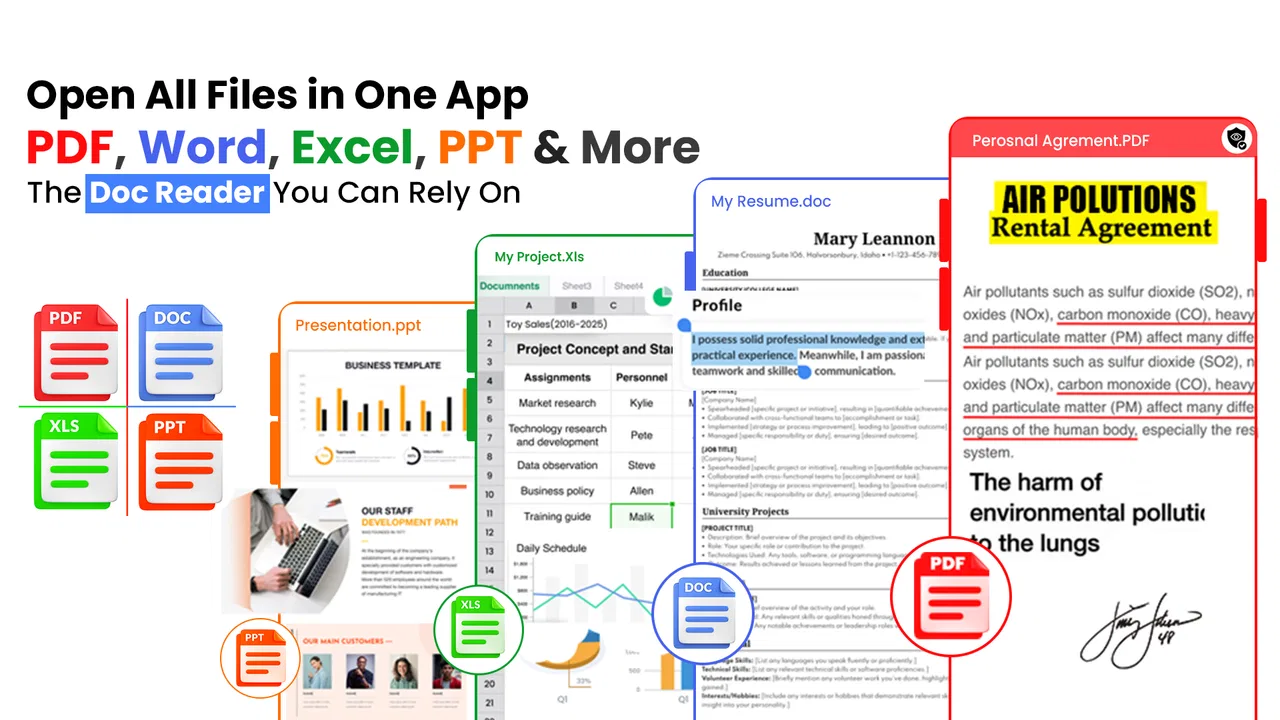
The strongest part of the experience is the convenience of handling several familiar formats from one productivity app. A PDF from a school, a Word attachment from a colleague, an Excel file containing a simple list, and a PowerPoint presentation can all belong to the same day’s workflow. Having a single reader available reduces the need to remember which app opens which file.
You May Also Like

 Blood Strike: 2.5 Anniversary
Blood Strike’s Loadouts Turn Every Drop Into a Tactical Gamble
A close look at Blood Strike’s custom loadouts: how fast access to signature weapons reshapes its battle royale rhythm, rewards preparation, and narrows the gap between fights.

 Pandora - Music & Podcasts
Pandora’s Music Is Easy to Start, but Harder to Recover
Pandora’s strength is its low-effort path from a seed to a station. Its weak spot is how much confidence it asks you to place in connection, setup, and quiet recovery.

 8 Ball Pool
 Is Built on Rivalries, Rematches, and Routine
A close look at the rivalries, rematches, shared routines, and unanswered safety questions that turn a quick pool match into a persistent mobile community.

 Samsung Music
’s Quiet Strength Is Playing What You Already Own
Its reach comes less from spectacle than from dependable access to a personal library. That simplicity is both the app’s strongest retention engine and its ceiling.

 AccuWeather: Weather Radar
AccuWeather Review: A Quick, Clear Forecast for Everyday Decisions
For everyday plans, the best forecast is the one you can understand quickly. AccuWeather makes rain timing, radar, and local conditions easy to act on, with a few trade-offs.

 Hill Climb Racing
Why Hill Climb Racing Still Turns Crashes Into One More Run
A tiny car, a bumpy hill and one more upgrade: Hill Climb Racing keeps resurfacing because its simple chaos makes every near-miss feel personal.
More From Our News Desk
View All News


I particularly like this kind of tool when the phone is being used as a temporary workstation. If I receive an attachment while away from a computer, I usually need to answer a simple question first: can I open it, read it, and understand what it contains? A combined document viewer addresses that first step without forcing me into a larger editing environment.
In practical terms, I would use it to review a PDF before a meeting, check a Word document sent through messaging, scan a spreadsheet for a name or amount, or look through presentation slides while travelling. Those are modest tasks, but they occur often. The value comes from reducing friction at those moments, not from offering advanced office production tools.
The app’s broad format coverage also makes it more suitable for shared devices and family phones than a collection of specialized utilities. A person who does not regularly work with documents may not want separate applications for every file type. A single reader is easier to explain: open the app, find the document, and read it.
A realistic workflow for mixed attachments
Imagine receiving several files for an appointment: a PDF instruction sheet, a Word form, and an Excel schedule. On a phone with only one document reader, I can inspect each file in sequence instead of searching for a compatible application every time. I would first open the PDF to understand the instructions, then check the Word file for the information I need to complete, and finally glance at the spreadsheet to confirm the relevant time or entry.
This workflow is where the app makes the most sense. It is not about creating a polished report on a small screen. It is about being ready when different document formats arrive unexpectedly. For students, office workers, freelancers, and anyone who receives attachments regularly, that flexibility can be more valuable than a long list of advanced features.
One useful habit is to treat the app as a review station rather than the final destination for important work. I can use it to confirm that a file opens correctly, read the content, and decide whether I need a desktop editor afterward. That division of labor keeps expectations realistic and avoids mistaking a viewer for a complete office suite.
Where it fits beside familiar alternatives
Compared with a dedicated PDF reader, this app’s advantage is breadth. A specialized PDF application may offer a deeper set of tools for annotation, signing, form handling, or document organization. If most of my work involves PDFs and I need those functions every day, I would probably prefer the dedicated option.
Compared with a full office suite, the advantage here is simplicity. Large office applications can be better when I need to edit formulas, build a presentation, revise a long document, or preserve complex formatting. They can also feel excessive when I only want to open an attachment. All Document Reader PDF Viewer sits between those extremes: broader than a single-format reader, but more focused than a complete editing suite.
That middle position is both its strength and its limitation. It is a sensible choice for reading and checking mixed files. It is less convincing as the main tool for producing professional documents. I would not select it solely because I expect desktop-level editing from a phone viewer.
Small habits that make the app more useful
My first tip is to use it before downloading a second app. When a file arrives in an unfamiliar format, checking it with this reader can quickly tell me whether I actually need another tool. That prevents the phone from filling up with one-purpose viewers that may rarely be opened.
My second tip is to use it for pre-meeting checks rather than last-minute editing. Opening a presentation or PDF in advance lets me confirm that the content is readable on the phone. If something looks wrong, I still have time to move to a computer or another application. A viewer is most dependable when it is used to inspect information, not when it becomes the only backup plan for a complicated presentation.
A third useful approach is to separate reading from modifying. I would review a contract, schedule, or report in the app, then move to a more specialized editor only if changes are required. This saves time because I do not begin a simple reading task inside a heavyweight office workflow.
There is also a practical privacy habit worth following with any document reader: open only the files you genuinely need and avoid treating a phone as a permanent archive for sensitive paperwork. The app’s convenience makes it tempting to collect everything in one place, but convenience should not replace sensible file management.
Limitations, audience fit, and my final recommendation
I’d use this section to help you decide whether a broad document reader suits your habits, rather than treating format coverage as a promise of advanced editing. For me, the key test is how often you need to inspect files on your phone and how often you need to change them; that distinction makes it easier to judge where this app earns a place and where another tool may serve you better.
The meaningful weakness is the gap between viewing and working
The main limitation is built into the app’s identity. Reading a document is not the same as editing one. A user who expects to rewrite several pages, adjust spreadsheet formulas, create slides, or perform detailed PDF markup may find the experience too narrow. The app is most persuasive when the task is opening and reviewing files; its value becomes less certain when the task turns into document production.
This distinction matters because the store summary mentions PDF, Word, Excel, and PowerPoint documents together, which can create broad expectations. In my view, the safest interpretation is that the app is a convenient reader across those formats. Anyone choosing it should think of it as a central viewing tool first, not automatically as a replacement for every office application.
There is another trade-off for users who prefer a highly specialized interface. A single app covering several formats may feel less tailored than separate readers designed around one format. Someone who spends all day annotating PDFs, managing complex spreadsheets, or preparing presentations may appreciate the deeper controls of a specialist more than the convenience of a general reader.
The free price makes trying it low-risk, but in-app purchases are listed at $14.99 per item. That means I would pay attention to which functions are available without payment before building an important workflow around the app. For casual reading, the free entry point is attractive. For heavier use, I would check the upgrade path carefully and decide whether the additional value matches my needs.
Who should install it
I would recommend this app to people who frequently receive mixed attachments and mainly need to read them on an Android phone. It is a good fit for students checking course material, employees reviewing documents between meetings, freelancers opening client files, and families who want a straightforward way to inspect office documents without learning several separate apps.
It also suits people using older Android devices, since the minimum requirement is Android 6.0. That broad compatibility can be helpful when a phone is reliable but not new enough for many modern applications. The app’s reach is reflected in its audience: it has passed 500K installs, carries a 4.5 average from 656 ratings, and has 90 written reviews. Those figures suggest that the one-reader approach has found a substantial group of users, although popularity alone should not be confused with advanced functionality.
I would be more cautious about recommending it to a professional who needs a complete document workflow. If your day involves revising long manuscripts, maintaining complex workbooks, creating polished slide decks, or applying detailed PDF annotations, a dedicated office suite will probably be the better primary tool. You might still keep this reader as a convenient backup, but I would not make it the center of that kind of work without testing the exact files you use.
Questions I would ask before relying on it
Can it replace a full office suite? In my opinion, no—not for serious editing. Its strongest role is opening and reviewing several common document types in one place. If your work is mostly reading, it may be enough. If your work is mostly creation, revision, or formatting, use a more specialized application alongside it.
Is it useful for occasional users? Yes. Occasional users are arguably the best audience because they benefit from broad compatibility without needing a complicated setup. Someone who opens a document only once in a while can avoid installing a separate reader for every format.
Is it suitable for an older Android phone? The stated minimum of Android 6.0 makes it accessible to a wide range of devices. Even so, I would keep expectations sensible on older hardware and avoid assuming that every large or visually complex file will feel as comfortable as it does on a newer phone.
Should I pay for an in-app item? I would wait until the free experience has proved useful for my own files. Since individual in-app purchases are listed at $14.99, the sensible approach is to identify the feature or improvement being offered and compare it with the cost of a dedicated alternative. Casual readers may never need to spend anything, while frequent users should make the decision based on their actual workflow.
Who should skip it? I would skip it if I mainly need advanced editing, deep PDF tools, or a polished desktop-style authoring environment. In those cases, the convenience of combining formats is less important than having specialized controls that match the job.
My final verdict
All Document Reader PDF Viewer succeeds because it solves a common, uncomplicated problem: mixed document files are easier to handle when one app can open them. I like it as a practical reader for PDFs, Word documents, Excel files, and PowerPoint presentations, especially when I am away from a computer and need information quickly.
Its weakness is equally clear. The more demanding the task becomes, the more likely I am to reach for a dedicated editor or office suite. That is not a deal-breaker; it simply defines the app’s proper place. Use it as a convenient document-reading hub, not as a promise of complete office production.
For Android users who want a free, broadly compatible way to inspect everyday files, I think it is worth trying. The rating of 4.5 and more than 500K installs show that many people find the approach useful, while the free starting point makes evaluation easy. My recommendation is positive for readers, reviewers, and occasional document users, but measured for professionals who need deep editing. In that specific role, this app is focused, approachable, and genuinely handy.
FAQs for All Document Reader PDF Viewer
01What is All Document Reader PDF Viewer used for?
All Document Reader PDF Viewer is designed to open and manage common document formats from a mobile device. It can be useful for viewing PDF files, Word documents, spreadsheets, presentations, and other supported files without switching between several apps. After installation, the app typically scans accessible storage and presents documents in an organized list, making it easier to find files received by email, messaging apps, or downloaded from the web.
02Which file formats does All Document Reader PDF Viewer support?
The exact list of supported formats can vary depending on the app version and device, but All Document Reader PDF Viewer generally focuses on popular office and document files, including PDF, DOC, DOCX, XLS, XLSX, PPT, PPTX, and text files. Before downloading, users should check the current Google Play or App Store description because compatibility may differ between Android and iOS, and some advanced formatting may not display exactly as it does on a computer.
03Can I read documents offline with All Document Reader PDF Viewer?
Yes, documents that are already stored on your phone can generally be opened without an internet connection. This makes the app practical for reading saved manuals, tickets, reports, ebooks, and work files while traveling or in areas with limited connectivity. Internet access may still be required for downloading files, synchronizing with certain cloud services, displaying advertisements, or accessing features that depend on an online connection.
04Does All Document Reader PDF Viewer allow editing or converting documents?
The app is primarily intended for viewing and organizing documents rather than replacing a full desktop office suite. Basic actions such as opening, scrolling, zooming, searching, sharing, and sometimes printing may be available, while editing text, changing spreadsheet formulas, or modifying presentations can be limited or unavailable. If you need advanced editing, signatures, file conversion, or annotation tools, review the listed features carefully and consider using a dedicated document editor.
05Is All Document Reader PDF Viewer safe to download and what permissions does it require?
Download the application only from the official Google Play Store or Apple App Store, and check the developer name, ratings, update history, and privacy information before installing it. A document reader commonly requests access to files or photos so it can locate and open documents, but you should review every permission request and deny anything unrelated to its purpose. Avoid unofficial APK files, and remember that privacy practices, advertising, and data collection can change between app versions.
Pros
- Opens PDF
- DOC
- XLS
- PPT
- and other common office formats
- Useful file search helps locate documents quickly on your device
- Supports offline reading without requiring a constant internet connection
- Simple interface makes basic document viewing easy for most users
- Can handle multiple document types in one convenient application
Cons
- Advanced editing features may be limited compared with full office suites
- Free version may include advertisements or promotional interruptions
- Large documents can take longer to load on older smartphones
- Formatting may vary when viewing complex office files
- Some features or formats may require in-app purchases

All Document Reader PDF Viewer
Gallery